Data Sharing
Detection Information Sharing
To access Detection Sharing feature, go to .
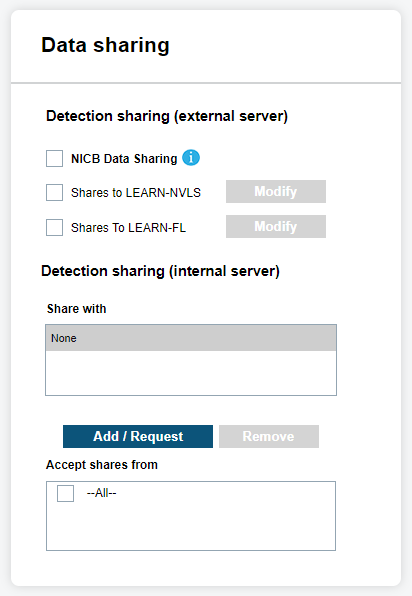
To contribute detections to individual agencies for LEARN-NVLS, site managers need to select Shares to LEARN-NVLS or Shares To LEARN-FL and click Modify. NVLS stands for National Vehicle Location Service and is Vigilant Solutions’ national LPR data sharing initiative for law enforcement.
Data within LEARN-NVLS is from two sources; detections shared by site customers, and data collected by Vigilant from commercial applications (access control, asset recovery, parking systems, and so on.). The data contributed by law enforcement sites is freely shared within LEARN-NVLS and accessible to all law enforcement. The data harvested by Vigilant is referred to as Commercial Data and is accessible only to users with a Commercial Data subscription.
The site manager can also enable LPR detection sharing to internal sites under Detection Sharing (Internal Server). Site managers can add specific sites to share their detection data with by selecting Add/Request and selecting a check box for each site they wish to share their data with. If the site manager wishes to remove a site from their Share, they can select the site by highlighting it and clicking Remove. To accept shares from internal sites, simply select the sites that the user wishes to accept shares from in the Accept Shares From: box. To automatically accept detection shares, select All and detection Shares will be automatically available to users.
Site Managers can also enable detection sharing to the NICB program. NICB stands for National Insurance Crime Bureau. The NICB program provides local law enforcement agencies participating in the program an alert if any stolen vehicles are seen by LPR systems.
Hot List Information Sharing
Within Hot List Sharing by Site, the site manager can choose a site and Hot List Source to Share. First, you will select the site you wish to share with. After selecting the site, you must choose a Hot List Source to share.You must individually select each site and corresponding Hot List Source to share. Likewise, you can remove or edit a Hot List Source share by highlighting the intended site and selecting Remove or New Hot List Source respectively. To accept shares, simply select the sites that you wish to accept shares from. To automatically accept Hot List shares, select --All-- and new Hot Lists will be automatically available to users. When finished selecting the Site Detection and Hot List Shares, you must select Update before the changes will take effect. You will be prompted to update if you navigate away prior to saving changes.
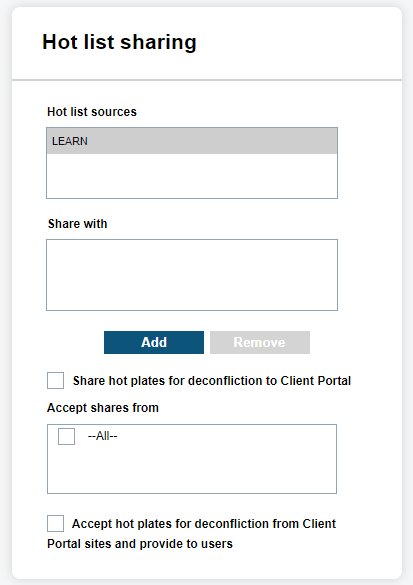
- Hot List Source
- The Source Name given to a Hot List Template that indicates the purpose or location the hotlist derived from.
Map Data Information Sharing
The National LPR Data Sharing Map represents a list of Law Enforcement Agencies using LPR technologies and within the Sharing Pool.
The National LPR Data Sharing Map represents a list of Law Enforcement Sites using LPR technologies and within the Sharing Pool.
For more information, you can click on a representing Tic mark to facilitate LPR data sharing by contacting the manager.
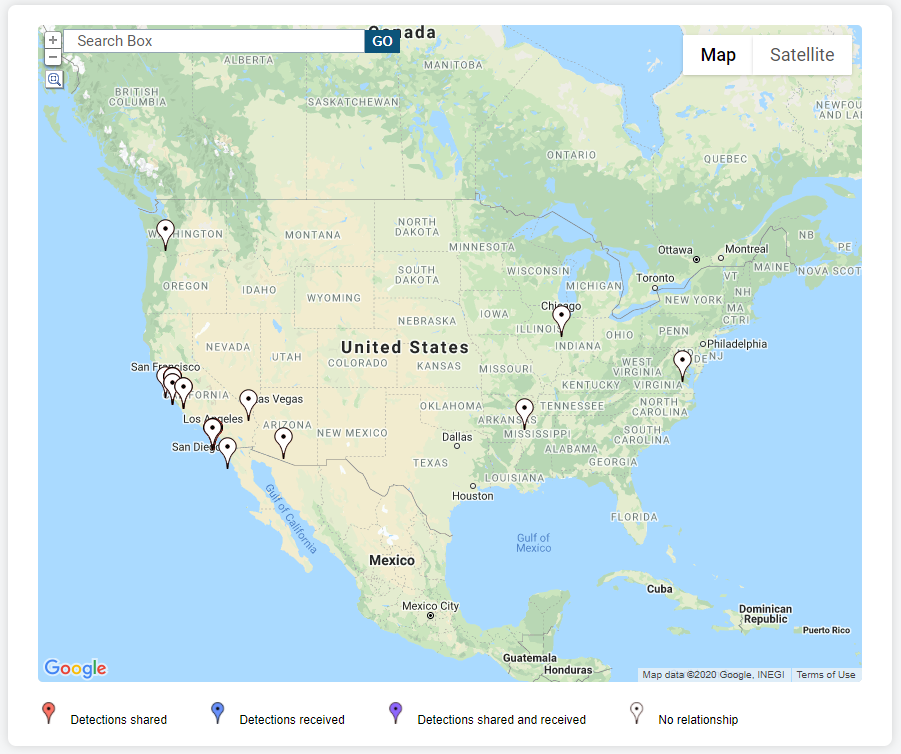
Once the Tic mark has been selected, you will be presented with the name of the site and the Address. When you click on the site Name, you will see a box with each site manager that is attributed to that site with contact details. Site managers have the option to opt-out of displaying their contact information from the Data Sharing Map within their Profile settings.
Lastly, within the Sharing section, the manager is also capable of creating a PDF of the Data Sharing Report by selecting Output Report. The report will consist of all Detection and Hot List shares that are currently being shared, as well as all Detection and Hot List shares being received.